
Overview
Microsoft Intune is a cloud-based service that focuses on mobile device management (MDM) and mobile application management (MAM). You control how your organization’s devices are used, including mobile phones, tablets, and laptops.
App configuration policies can help you assign configuration settings to a policy that is assigned to end-users before they run the app.
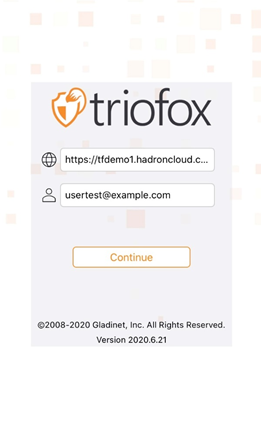
Triofox iOS App can receive custom values for the Access Point and User Email.
Details
Create an App configuration policy
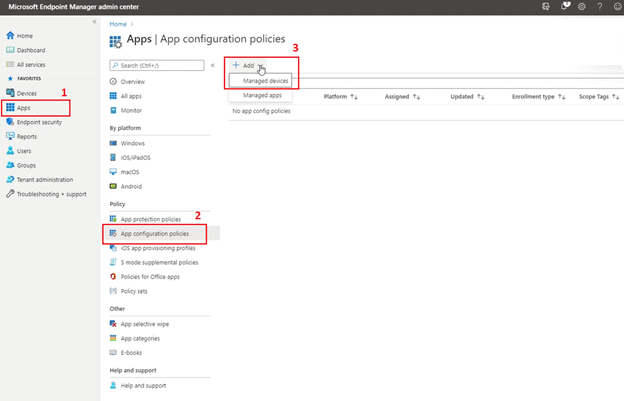
- Sign in to the Microsoft Endpoint Manager admin center.
- Choose the Apps> App configuration policies > Add > Managed devices.
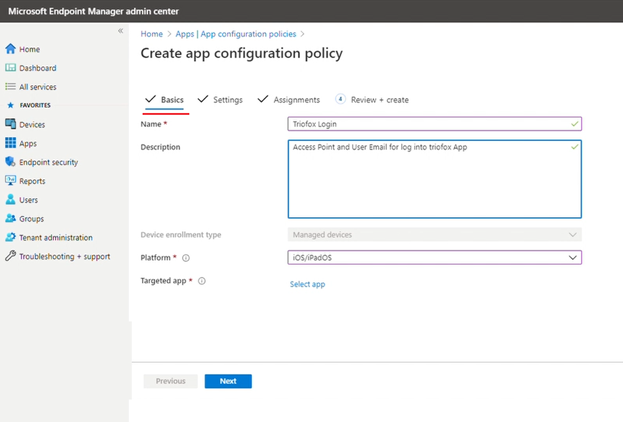
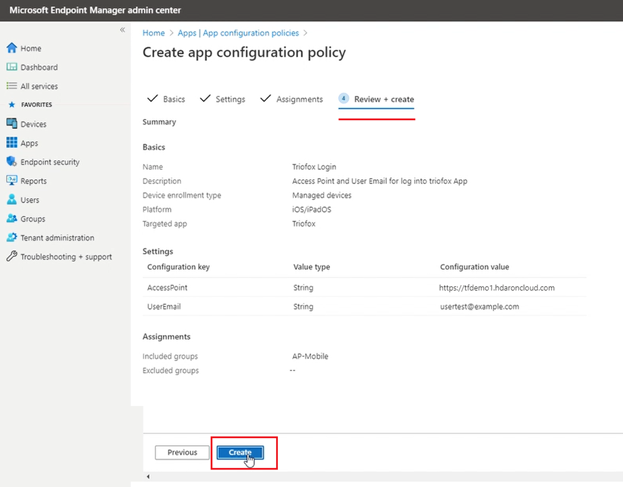
- On the Basics page, set the details: Name and Description, Device enrollment type is set to Managed devices.
- Select iOS/iPadOSas the Platform.
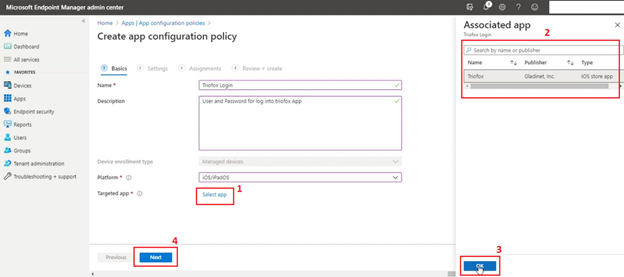
- Click Select app next to Targeted app. The Associated app pane is displayed.
- On the Targeted app pane, choose the managed app to associate with the configuration policy and click OK.
- Click Next to display the Settings
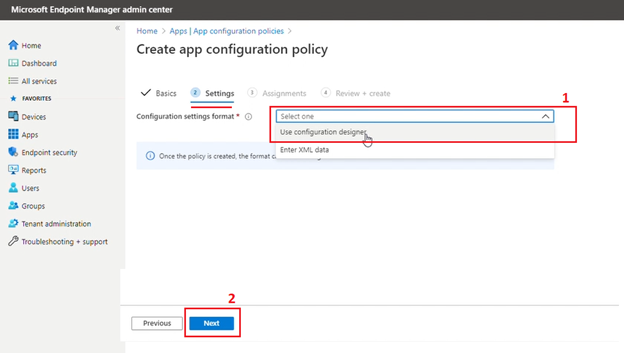
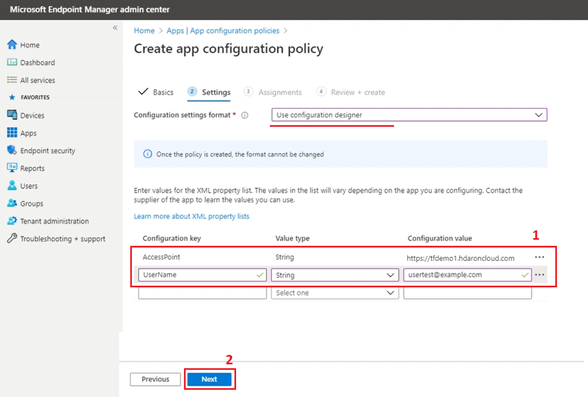
- In the Configuration settings format dropdown box, select: Use configuration designer.
- Click Next to specify the configuration keys and values for the App.
- Triofox iOS App can receive custom values for the Access Point and User Email, for each key and value, set: Configuration key- The key that uniquely identifies the specific setting configuration (AccessPoint and/or UserEmail), Value type - The data type of the configuration value (String), Configuration value - The value for the configuration.
- Click Next to display the Assignments.
- Select the group assignments for the app. For more information, see Add groups to organize users and devices
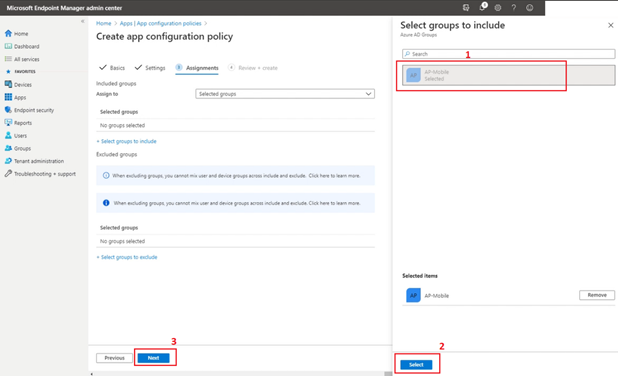
- Click Next to display the Review + create
- Click Create to add the app configuration policy to Intune.
-
From the iOS phones and tablets, after the user installs the App the Access Point and User Email will reflect the values predefined in the configuration policies.
Comments
0 comments
Please sign in to leave a comment.