
Guest Users are users who can only access files and folders shared with them. Guest users do not have their own home storage. Hence, guest users cannot create their own folders or upload files directly to the root of the account. They can only access files/folders shared with them under the 'Files Shared with me' folder.
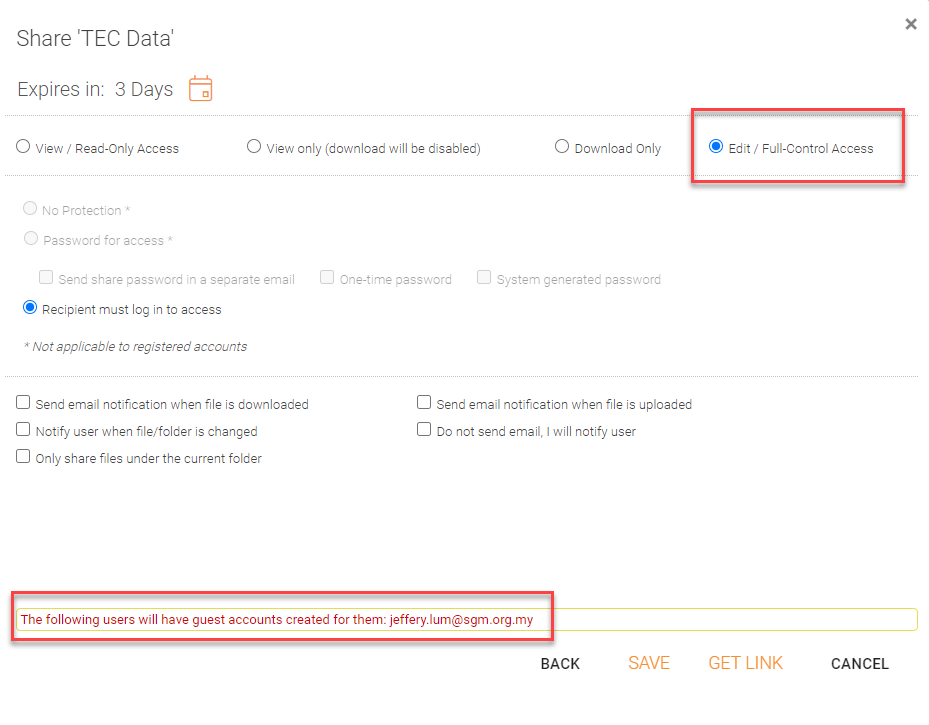
During the sharing of files and folders, if you select the 'Edit/Full-Control Access' option and the user email is not in the system (not an existing user or a guest user), a guest user account is automatically created. The recipient will receive a share and welcome emails which will include the username and password. The recipient can use the username and password to login to the web portal or native clients. Users will also be able to edit the shared files.
Comments
0 comments
Please sign in to leave a comment.