
Overview
Microsoft Intune is a cloud-based service that focuses on mobile device management (MDM) and mobile application management (MAM). You control how your organization’s devices are used, including mobile phones, tablets, and laptops.
Triofox iOS Mobile App can be published by choosing it from the Apple Store.
Details
Add existing App in the Apple Store
- Sign in to the Microsoft Endpoint Manager admin center.
- Select Apps> All apps > Add.
- In the Select app type pane, under the available Store app types, select iOS store app.
- Click Select.
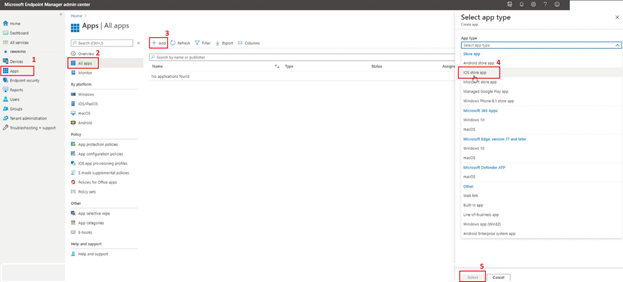
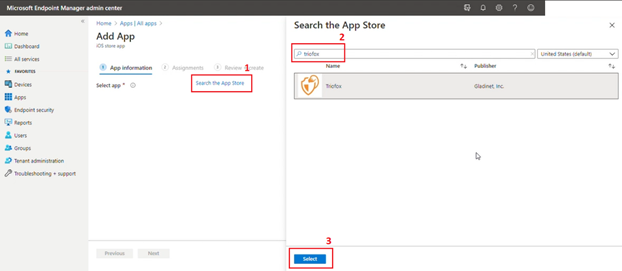
- The Add app steps are displayed. Search for Search the App Store.
- In the Search box, type the name (or part of the name) of the app.
Intune searches the store and returns a list of relevant results. - In the results list, select the app you want, and then select Select.
The App information page will be displayed in the Add app pane. When possible, app information will be added based on the app you selected from the store.
- On the App information page, add the app details. Depending on the app you have chosen, some of the values in this pane might have been automatically filled in.
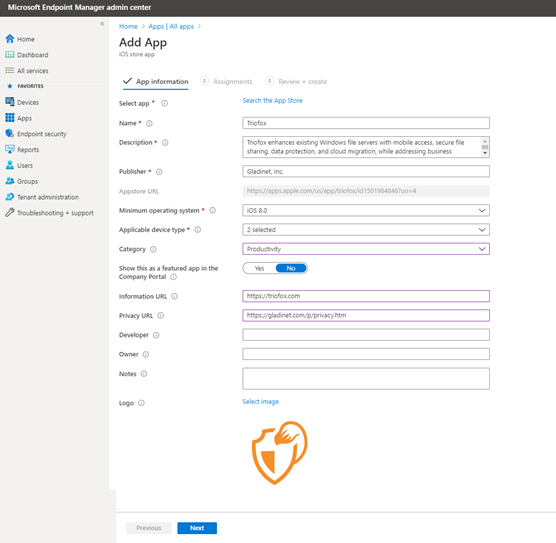
- Click Next to display the Assignments
- Select the group assignments for the app. For more information, see Add groups to organize users and devices.
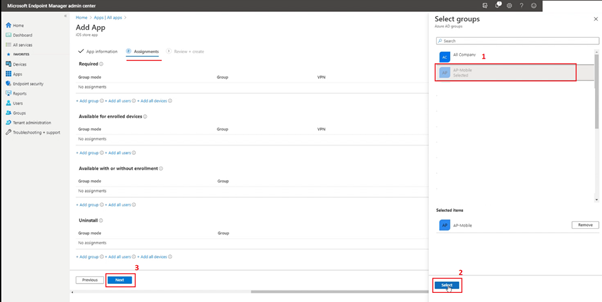
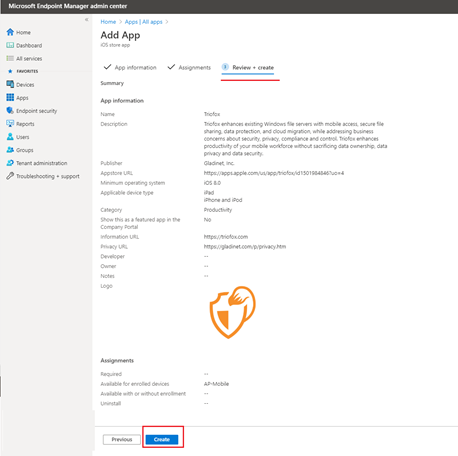
- Click Next to display the Review + create Review the values and settings you entered for the app.
- When you are done, click Create to add the app to Intune.
-
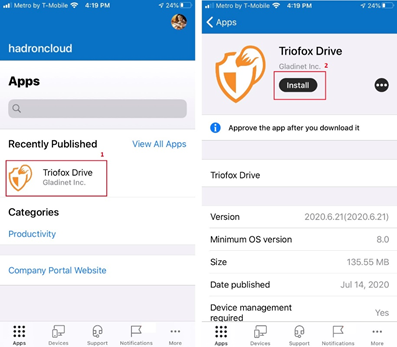
From the iOS phones and tablets, assigned users will see the App and can proceed to install it (respecting permissions assigned).
Comments
0 comments
Please sign in to leave a comment.